Most agencies we talk to run on a stack that made sense at fifteen people: Notion for projects, a few spreadsheets for KPIs, a dashboard tool for reporting, Slack or Teams for everything else. Then the agency adds services. Influencer, paid media, social, content, email, fractional CMO. Each team builds its own boards, and before long the same client exists in five databases that don’t talk to each other.
The symptoms show up fast. Cards move to the next stage with half the fields empty. A client comment gets missed because a notification fired in the wrong place. Month-end reporting takes days of copy and paste, and nobody can answer “what’s our margin on this client?” without opening a spreadsheet.
This post explains the architecture we use to fix that, shares what we’ve learned about building it so the team actually uses it, and gives you the worksheet we hand agencies before we build anything.
Key Takeaways
- An agency operations platform keeps every client, campaign, deliverable and KPI in one place, with a hub for each service team on top.
- Build it in three layers: the foundation first, then one service hub, then the leadership view and client portal.
- Design backwards from the questions leadership asks every month, and settle roles and permissions before any code is written.
- Adoption comes from moving one team completely and retiring its old boards the same day.
Why do agencies outgrow Notion?
Notion is excellent at flexible documents and light databases, and plenty of agencies should keep using it for exactly that. The trouble starts when the agency needs it to behave like an operating system.
The first strain is duplication. A client should exist once, with every campaign, deliverable and invoice pointing to it, but flexible tools make copying easy and make a single record very hard to enforce. Rules come next. “A creator can’t move to Hired without a signed rate and usage rights” is a rule, and rules need software that enforces them, rather than a column people are supposed to remember to fill in. Then permissions. Freelancers, junior designers, finance and clients all need to see different slices, and page-level sharing falls apart after a handful of roles. Finally there’s live data. CPM, engagement and spend should arrive from the ad platforms on their own instead of being pasted in at month end.
Switching to another off-the-shelf tool usually moves these problems around without solving them, because the agency’s real workflow is its competitive edge. That’s where custom agency management software earns its cost, as long as it’s built in the right order.
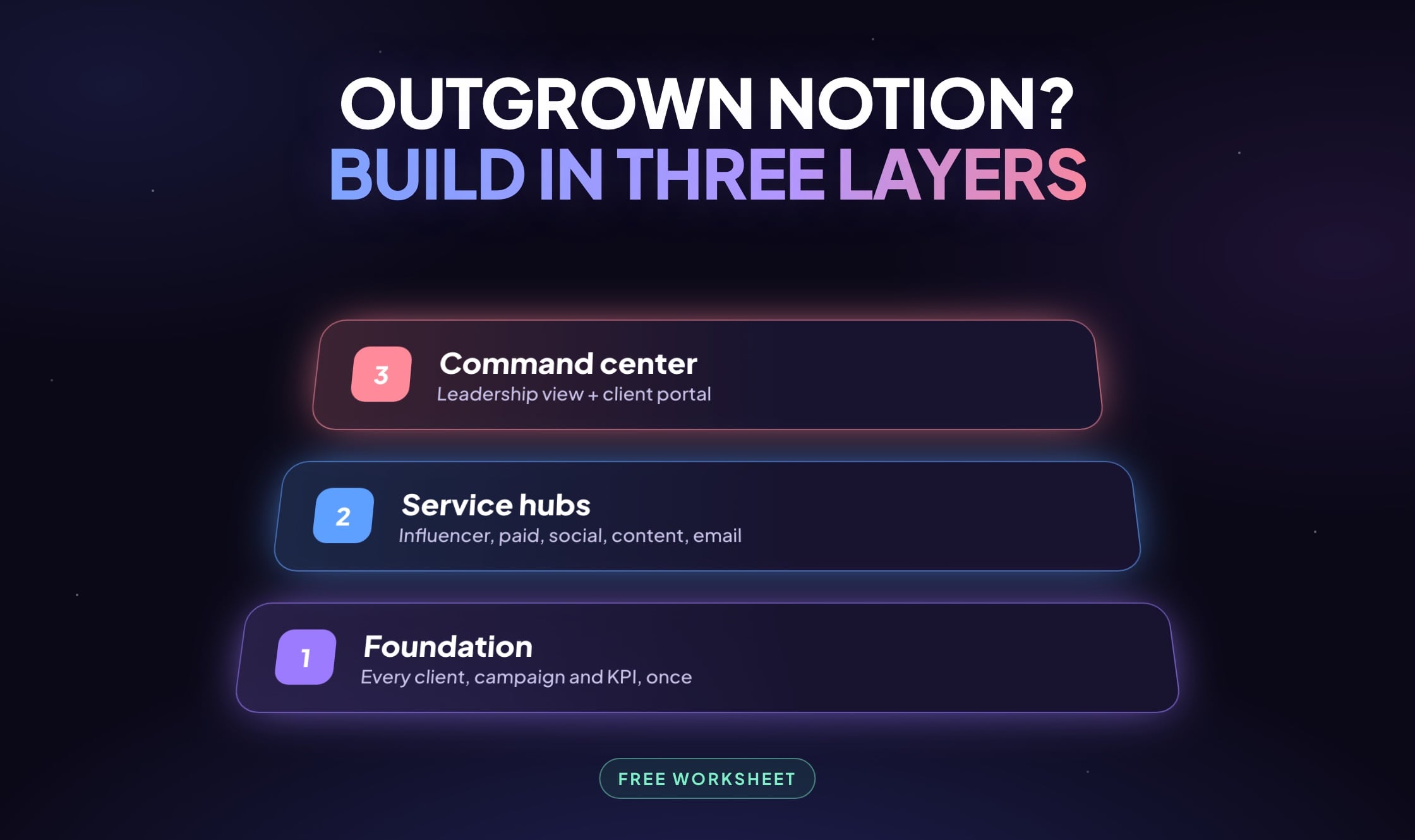
What is the three-layer agency operations model?
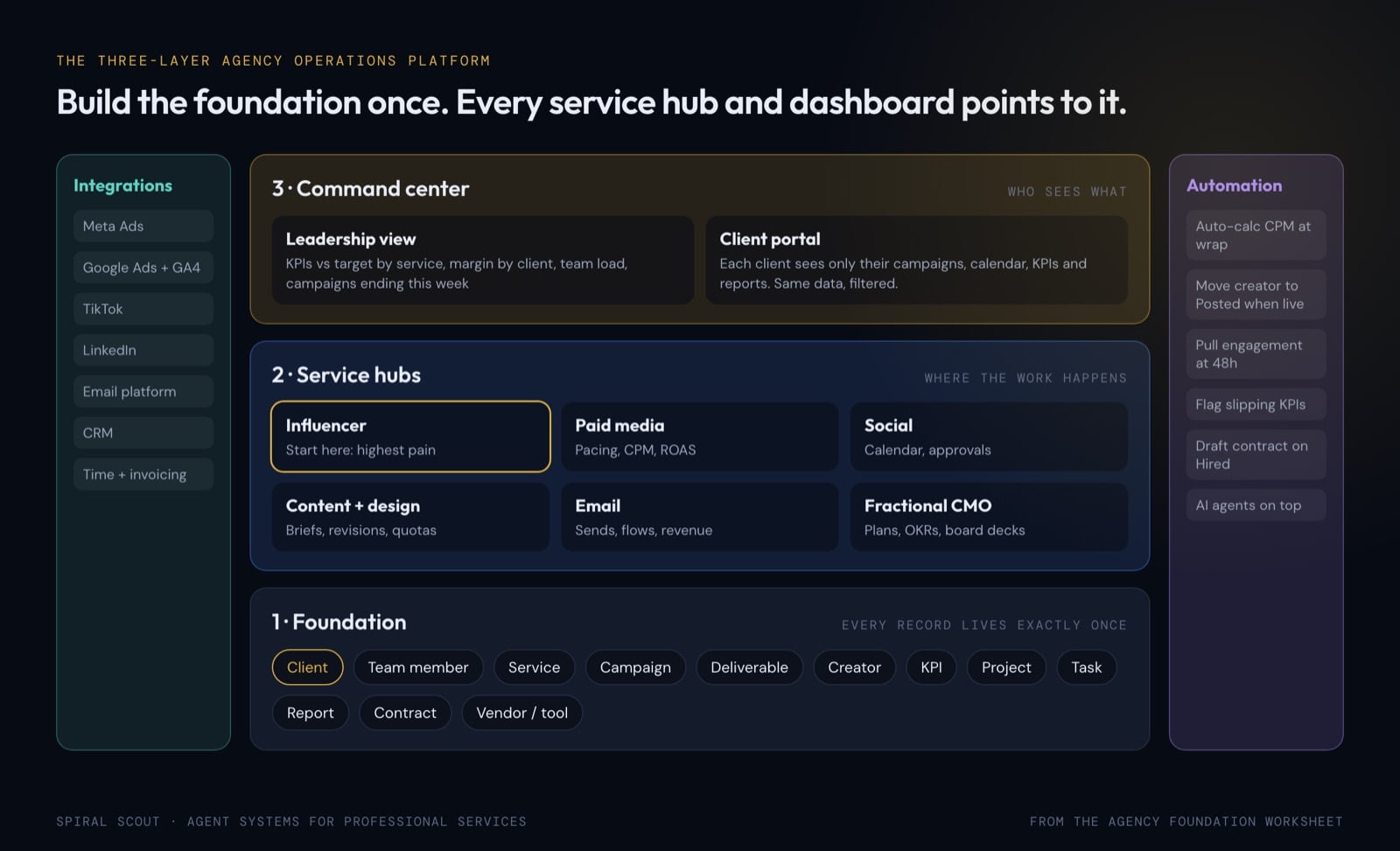
Layer 1: the foundation
The single source of truth. Clients, team members, services, campaigns, deliverables, creators, KPIs, projects, tasks, reports, contracts and vendors each exist once, with their own history. This layer is boring by design, and it’s the most important part of the build. If the foundation is wrong, everything above it becomes brittle and eventually gets thrown away, which is why most of the initial budget should go here.
Layer 2: service hubs
Each service gets its own workspace with its own pipeline stages, required fields, KPIs and reports, tuned to how that team works. Because every hub sits on the same foundation, the influencer team hiring a creator for a client, the paid team running that client’s ads and the content team shooting for them are all linked to one client record automatically.
Layer 3: the command center
Two views of the same data. The leadership view shows KPIs against target across every service, deliverable counts by team, margin by client, team load and campaigns about to wrap. The client portal shows each client only their own campaigns, creators, calendar, KPIs and reports. Since the portal is a permission-controlled window into the data your team already uses, nobody double-enters anything.
Running in the background: integrations and automation
Integrations pull data from Meta, Google, TikTok, LinkedIn, email platforms and your CRM on a schedule or on demand. Automation makes the system do work on its own: calculate actual CPM when a campaign ends, move a creator to Posted when content goes live, pull engagement 48 hours later, flag a client whose KPIs are slipping before they notice. This is also where AI agents plug in later, which is far easier once the foundation is clean. Our AI workflow automation blueprint shows how that sequencing works.
Where should an agency start?
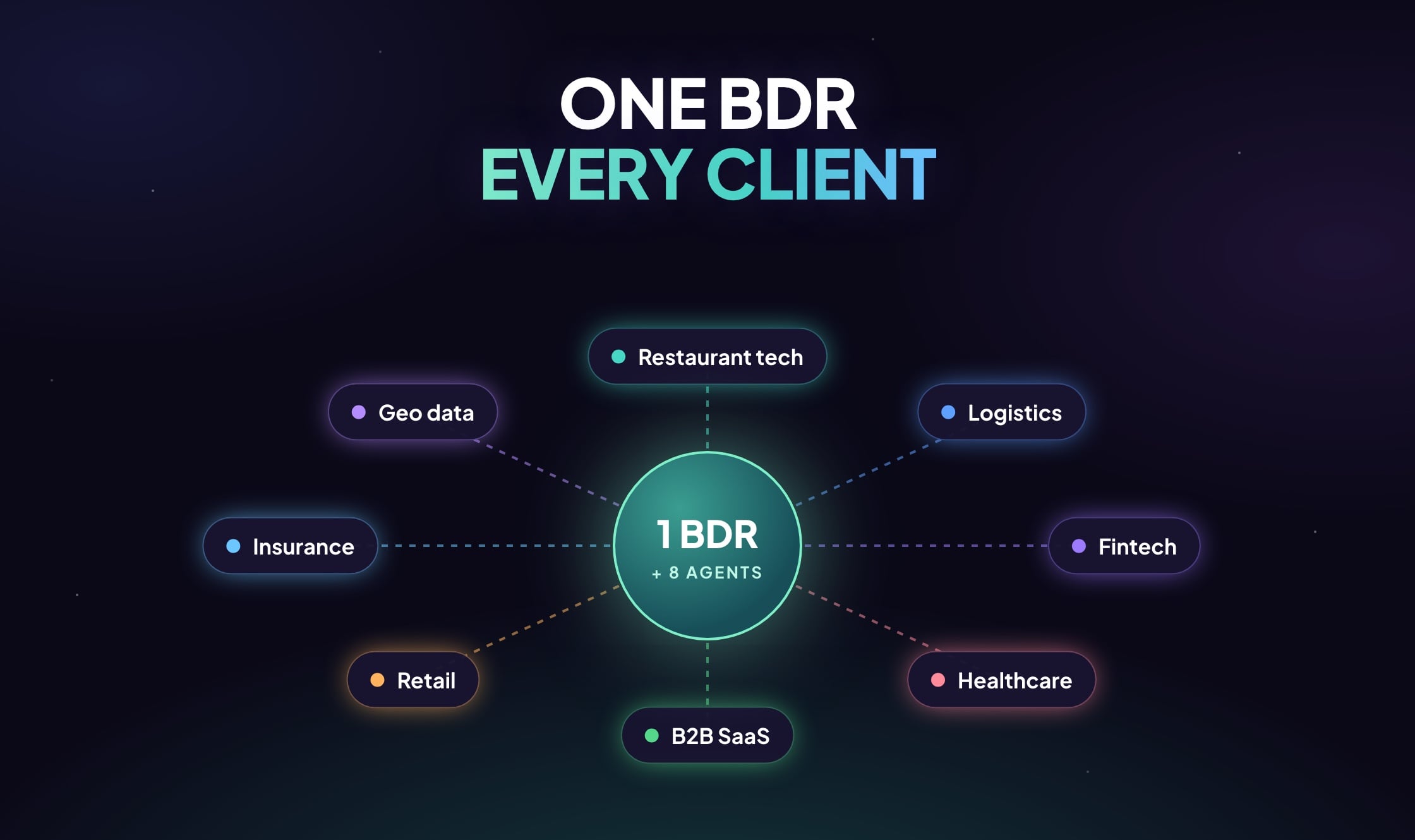
Don’t build all six service hubs on day one. Pick the service that hurts most, usually the one with the most handoffs and the messiest data, and get it working end to end on a properly built foundation. For many creative and social agencies that’s the influencer hub. For GTM and business development firms it’s usually outbound, which we cover in AI BDR for agencies.
Once the first hub is humming, add the next. Each new hub gets cheaper because the foundation and shared components already exist. That’s how a scary six-figure platform turns into something that pays for itself as it grows.
What does the agency get out of it?
The first thing people notice is month-end. Client reports pull from live records, so reporting takes minutes instead of days. Required fields and stage rules stop half-finished work from sliding forward, which means fewer dropped balls surfacing in client calls. Hours, spend and retainer roll up by client and by service, so margin becomes something you can see instead of something you estimate.
Clients feel the difference too. A portal that shows progress against their KPIs, without waiting for a deck, makes renewal conversations a lot easier. And because the data is finally clean and structured, AI agents for reporting, creator sourcing or outreach have something reliable to work from. Our guide to building an AI agent knowledge base explains why that matters so much.
Why define roles and permissions before writing code?
Permissions are the part most agencies skip early and regret six months later, because they’re very hard to retrofit. A typical agency needs at least ten roles: CEO, head of ops, account manager, service lead, senior and junior creatives, freelancers, client admin, client viewer and finance. Each needs a clear answer to “what can this person see, and what can they do?” Finance sees contract values and margin but not creative work. Freelancers see only the project they were hired for. Client viewers see their own portal, read-only.
A few principles hold up well in practice. Grant access by role instead of by person, so when someone changes jobs their permissions follow the new role. Start each new role with no access and add only what it needs, since adding access later is easy and taking it back after a leak is painful. Hide rates, contract values and margin at the field level, even on records a person can otherwise see, and let freelancer access expire when their project closes. Keep an audit log of who changed what. It settles client disputes in minutes, and it’s the first thing an enterprise client’s security review will ask about. It’s the same discipline we apply to permissions and audit for AI agents.
What works best when building an agency operations platform?
Whether a platform gets adopted or quietly abandoned for the old boards usually comes down to a handful of decisions made early.
Design backwards from the questions you ask every month
Before you list a single field, write down the ten questions you want the system to answer without a spreadsheet. What’s our margin on this client? Which campaigns are behind on KPIs? Who is over capacity next month? Then work backwards. Every question needs fields, every field needs a record, and every record needs an owner. If a question can’t be answered from the data model on paper, the software won’t answer it either.
Give every record an owner and a code
Each core object, whether it’s a client, campaign, deliverable, creator or contract, needs a person or team responsible for keeping it accurate. It also needs a code that travels with it. When the same campaign code shows up in the ad platform’s campaign name, the UTM parameters and the invoice, integrations can match spend and results to the right client without anyone stepping in. Agree on the naming convention before the first integration goes live, because renaming later breaks history.
While you’re at it, decide which system is the source of truth for each field. Spend comes from the ad platform, contract value from the signed contract, hours from time tracking, and everything else reads from those. A field with two sources will eventually show two different answers, and someone will spend an afternoon working out which one is right.
Keep pipelines short
Five to eight stages per service is usually plenty. Every stage should have a plain-language exit rule, such as “signed rate and usage rights on file,” and the fields that go with it. If two stages always move together, merge them. A stage without an exit rule quickly turns into a parking lot.
Migrate less than you think you need
Move active clients and the last twelve months of campaigns into the new system, cleaned and deduplicated on the way in, and export older history to a read-only archive. Run the old boards and the new hub side by side for one reporting cycle at most, then switch the old boards to read-only. When two live systems run longer than that, nobody fully trusts either one.
Win one team completely before moving to the next
Adoption fails when everyone is half in. Move one service team fully, retire their old boards the same day, and make their home screen answer “what do I need to do today?” before it shows anything else. A simple rule helps: if it isn’t in the system, it didn’t happen. Leaders have to follow it first, or nobody else will.
The client portal works the same way. Launch it read-only with KPIs against target, the content calendar and finished reports. Once clients trust it, add deliverable approvals. Approving work inside the portal replaces long email threads and leaves a timestamped record of what the client signed off.
Ask build partners the uncomfortable questions
If you’re talking to build partners, ask who owns the code and the data, and whether you can export everything in a standard format. Ask how permissions get tested before launch and whether there’s an audit log. Ask what happens when an ad platform changes its API, which parts of the build are reused from systems already in production, and what the first fixed-scope phase leaves out. The answers will tell you a lot about how the next two years will go.
Get the Agency Foundation Worksheet
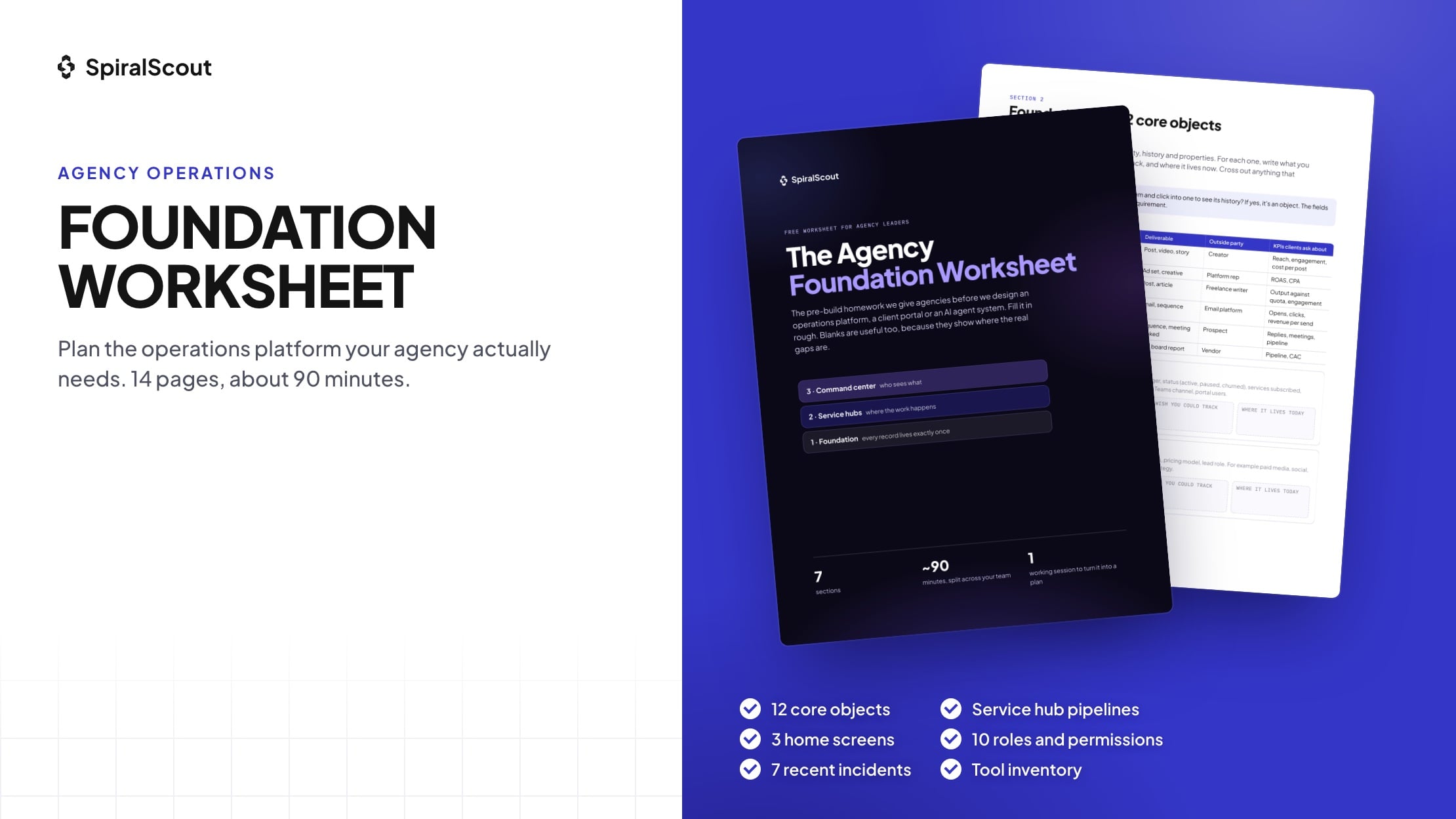
Before we design anything, we ask agency leaders to fill in a short worksheet. It takes about 90 minutes, rough answers are fine, and blanks are useful because they show where the real gaps are. It covers seven areas:
- The three-layer model, written down so your team can refer back to it.
- Every object in your business and the fields you track, or wish you could.
- Pipeline stages, required fields, automations and handoffs for your first service hub, plus a lighter pass on the rest.
- What leadership, ops and clients should see on their home screens.
- Roles and permissions for up to ten user types.
- What’s working and what’s breaking today, with real incidents that become test cases.
- A tool inventory: cost, owner, access and which tool holds the source of truth.
Download the free Agency Foundation Worksheet
Fill it in with your team, send it back, and we’ll come to a working session with your foundation framework already drafted. Get the worksheet or talk to us about a product discovery sprint.
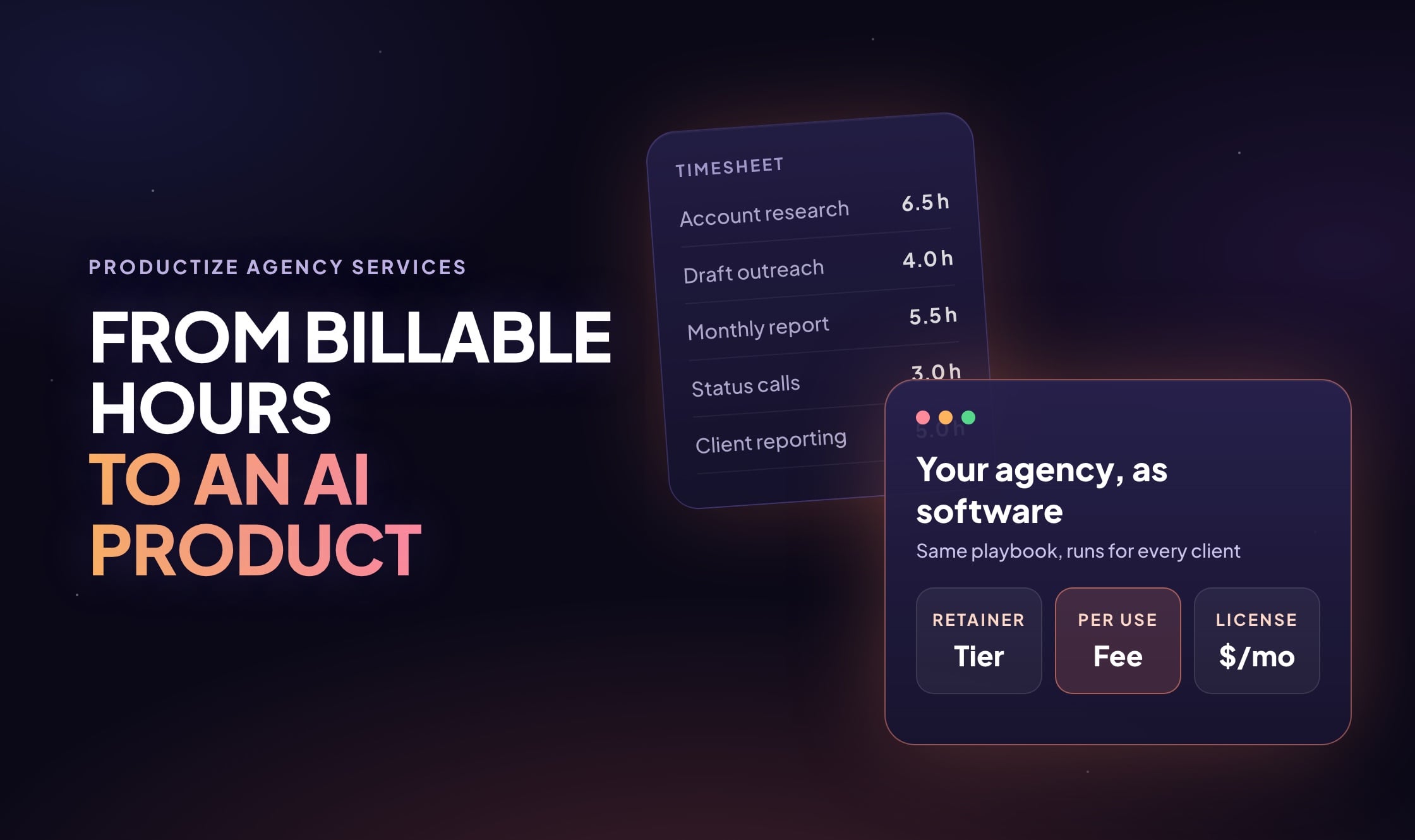
If you’d rather talk it through first, our product discovery team runs this as a two to three week engagement that ends with a fixed-scope build plan and a clickable prototype. And once the platform starts paying for itself, the next question is usually whether to sell it. That’s the subject of productizing agency services with AI.